A>V>C> Material Table
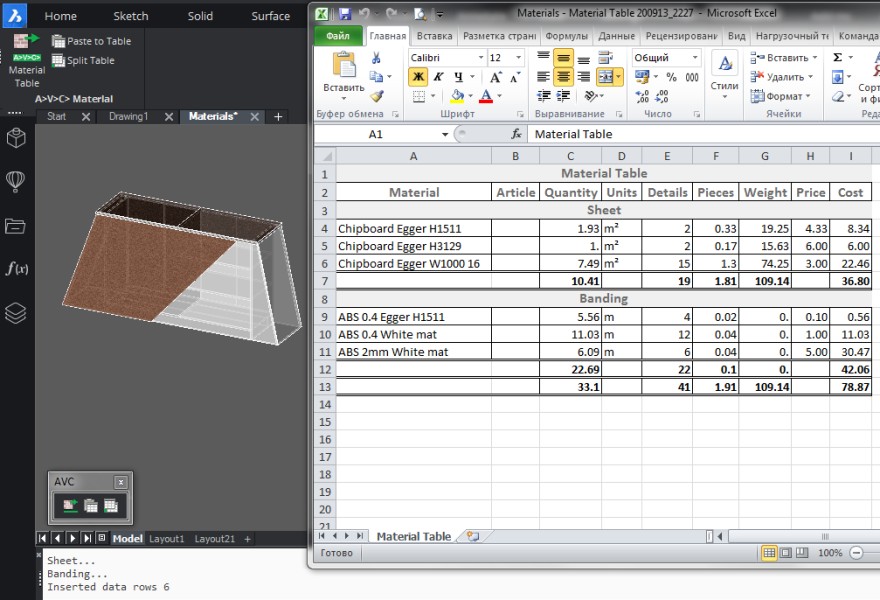
Extraction of data on materials of 3d-solids, materials of their surfaces. Lists of materials, coatings, paints, bandings. Calculation of material consumption (taking into account scraps), total weight and price. Writing tables in a drawing, Excel, CSV, XML.
- Filter only the necessary parts from all selected by layer, by type of object...
- Process all parts and assembly blocks visible through the viewport.
- Read parts from inside assembly-blocks, arrays, xrefs, and dynamic blocks.
- Index materials, assign them non-repeating letters
- Count the number of different types of materials in different ways, depending on their purpose
Description
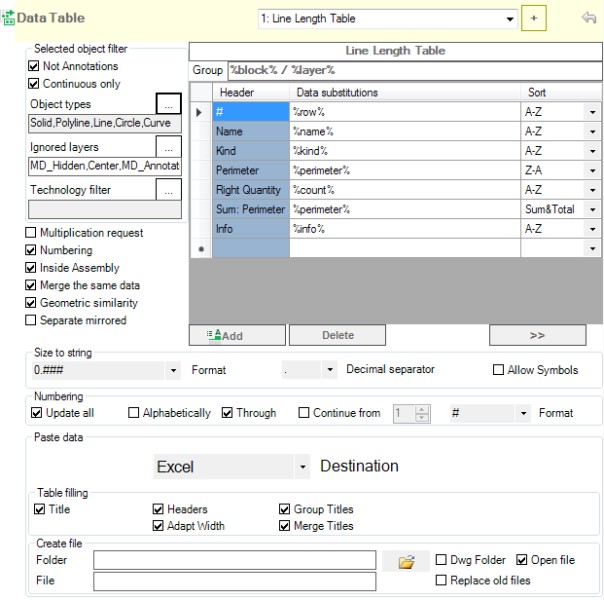
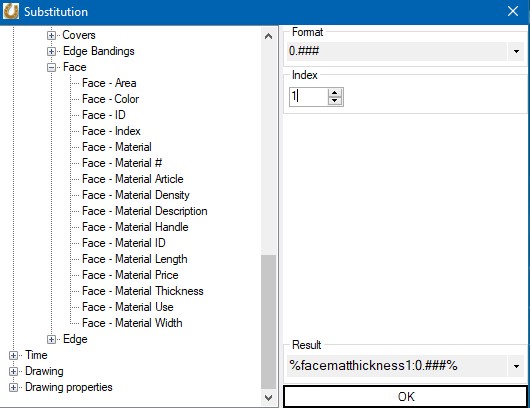
If you want to count the number of materials for purchases or make a list of material tags with which they are marked on parts, then this plugin will come in handy. First, you need to assign materials to parts (3d-solids). This means the usual render material, which is in the properties of any drawing object in BricsCAD. You can also assign materials to individual solid faces - these materials will be considered coatings (laminate, paint, edges). If you want to recalculate the amount of material in pieces (sheets or rods) or you need the weight of parts, the cost of materials, then you need the program A>V>C> Properties palette. It will add sheet dimensions, density, and price to the properties of common materials. Then you can call the MatTable command, create and save the Table of Materials. The program works on the basis of the Data Table, uses the same settings and has the same capabilities. The dimensions of parts and their surfaces are extracted from the metrics of the solid. Program features: - Filter only the necessary parts from all selected by layer, by type of object, by manufacturing technology. - Process all parts and assembly blocks visible through the viewport. - Read parts from inside assembly-blocks, arrays, xrefs, and dynamic blocks. - Index materials, assign them non-repeating letters, so that you can then use these indices on Smart Leaders for short designation of materials for surfaces and edges. - Take into account the necessary stocks (scraps) of materials for the manufacture of each part. - Count the number of different types of materials in different ways, depending on their purpose: by volume (for solid wood/metall), by area (for sheets and coatings), by length (for rods, moldings and edge bandings). - Customize any kind of table, with any columns, using the lookup system. - Create combined columns from multiple material or part parameters. - Format numbers and any data using substitution formats. Each column can be formatted differently. - Group table rows into sections and record section names. - Sort rows in ascending or descending order. - Count sums in concatenated rows. - Multiply the number of parts by a given factor. This will allow you to calculate the number of materials for a series of products in one drawing. - Calculate mathematical formulas from single line data. - Calculate totals by group and across the entire table. - Save results in drawing in DWG-tables or texts. - Split long DWG-tables into multiple layouts. - Save results in Excel, CSV, XML files. - Automatically pick the folder and name for the spreadsheet file according to your settings. - Save results to the clipboard for pasting into any programs. - Quickly switch between multiple presets (styles). - Work in 1 click - select a viewport and table to insert data along with objects to retrieve data. - Customize all these features in a convenient dialog box. Program limitations: - The program extracts materials only from solids, it does not work with surfaces, meshes and other objects. - The program does not work with specialized materials Mechanical, BIM, Architectural. - The program is optimized for working with millimeter or inch drawings. You can use other units, but the program will not be able to display their name. The MaterialTable program comes with commands for working with tables "Paste to Table" (PTT) and "Split Table" (TableSplit). Download the plugin in the archive AVC_MatTable_nnnn_nn.7z To run the plugin, you will have to register account and top up your account balance by making a donation or receiving bonuses. Then you can activate one of the licenses: Annual license - 15 USD. Unlimited license - 75 USD. Free updates for 1 year. The trial period is 20 days. https://sites.google.com/site/avcplugins/activation Also the MatTable command is included in the collection A>V>C> Pro. If you have not found the property you need or you need help in setting up - write to me at avc.programming@gmail.com and offer your price for finishing touches or consultations. If you need to export a table to a SQL database or web application, this can also be done.

BricsCAD Pro V21 - V26
Windows
AVC Slovakia
Hlavná 119/75
Pusté Úľany925 28
SLOVAKIA